
Free Up Space in One Tap
Your Mac may be running out of storage because of files you rarely see. Learn how to find and safely clear caches, old backups, leftover app data, and other hidden storage hogs.
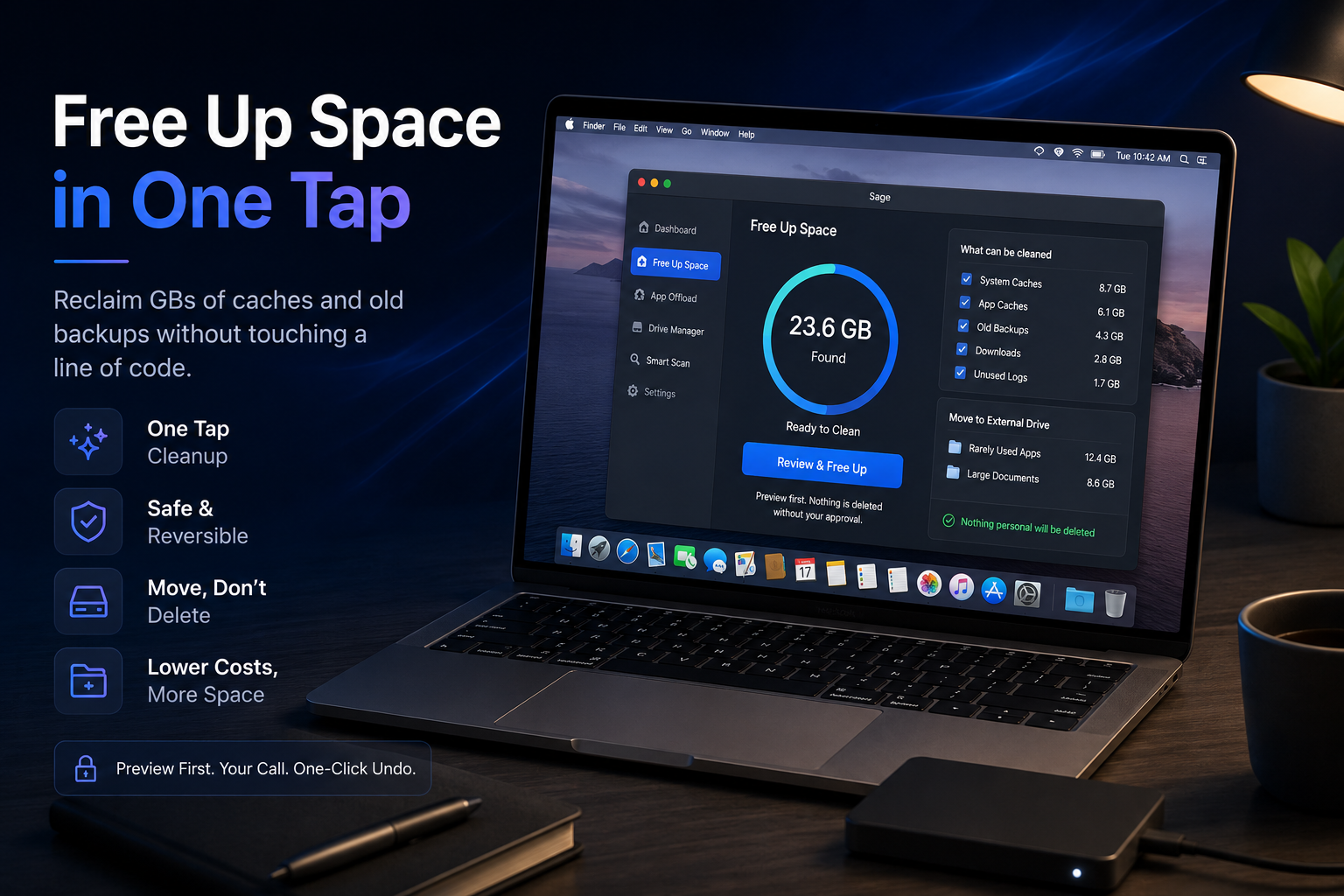
Reclaim GBs of caches and old backups without touching a line of code.
Your Mac is lying to you about why it's slow. You think it's the AI models. Or the 4K footage. Or that Docker image you keep meaning to clean up. Sometimes it is. But more often, it's the stuff you never see - cache files, orphaned backups, leftover data from apps you deleted months ago, all quietly eating into the same drive your work depends on. You didn't put it there on purpose. Nobody does. It just... accumulates.
The mess you didn't make
If you're running local LLMs, spinning up Docker containers, or juggling half a dozen node_modules folders, you already know your storage bar doesn't move in a straight line. It jumps. A model download here, a build cache there, a Time Machine snapshot nobody asked for - and suddenly "Storage Almost Full" is staring at you mid-render. Creative pros get hit just as hard. Scratch disks fill up in the middle of an export. RAW files and ProRes footage chew through free space faster than you can archive it. And enterprise teams spread across time zones and operating systems? They're fighting a version of this same problem, just with more people involved and more ways for it to go wrong. Here's the part that stings: storage keeps getting more expensive. Apple's own upgrades climb steadily every year, and external drives aren't far behind. So the "solution" most people reach for - buy more storage - is really just deferring the problem at a markup.
One tap, not one afternoon
This is exactly what Sage's Free Up Space feature was built to kill. Instead of you manually digging through Finder, guessing which cache folders are safe to nuke, Sage does the audit for you. It finds the caches piling up in the background, the rarely-touched files, the old local backups you forgot existed - and clears the path in one tap. App Offload goes a step further. Apps you barely open still sit on your main drive hoarding space, along with all their data. Sage identifies them and parks them on external storage instead, so they're still there when you need them, just not in your way when you don't. And here's the detail that actually matters: nothing disappears without your say-so. Every action previews first. Nothing personal gets touched unless you approve it. If you change your mind, it's a one-click undo - because "move, don't delete" isn't a slogan, it's the whole design philosophy. Sage would rather relocate your big apps and folders to a fast external drive than risk deleting something you needed. That single principle is what makes this different from every "storage cleaner" you've been burned by before. Those tools ask you to trust a black box. Sage shows its work.
What you get back
Less clutter isn't really the win. It's what less clutter buys you. A Mac that doesn't choke mid-render. No more "should I really delete this?" moments at 11pm before a deadline. No panic-buying an SSD because you're out of room three days before a client delivery. Teams working across different machines and operating systems without the usual friction, since Sage runs independent of OS. Storage Studio customers see costs drop by up to 70% across their Mac storage and fast-drive setup - not because they bought less hardware, but because they stopped needing to buy more of it every year. That's the actual promise here: an assistant that works in the background, permanently, so your storage stops being something you have to think about at all.
The takeaway
Your Mac doesn't need more storage. It needs an assistant that knows what to do with the storage you've already got. Free Up Space in One Tap isn't about being aggressive with your files - it's about giving you back the GBs you already own, safely, reversibly, and without you having to become a part-time systems admin to do it Try Sage. Tap once. Get your Mac - and your afternoon - back.